
Download Aiseesoft Video Repair – video repair, corrupt video fix, damaged video recovery, video restoration tool, video recovery software, fix corrupted videos, video repair software
Overview
Aiseesoft Video Repair is a specialized utility designed to recover and repair corrupted video files caused by storage errors, device malfunctions, or insufficient space. The app targets users who rely on digital video content and face unexpected data loss due to technical failures. Whether it’s a family memory, a professional project, or a personal recording, the software aims to restore damaged files to a playable state. Its primary function is to analyze and reconstruct video data using advanced algorithms, minimizing quality degradation during the repair process.
The target audience includes both casual users and professionals who work with video files but lack technical expertise. The software’s beginner-friendly design ensures that users with minimal technical knowledge can navigate the repair process without difficulty. Real-world use cases include recovering footage from broken smartphones, damaged SD cards, or failed transfers between devices. In the broader app ecosystem, Aiseesoft Video Repair fills a niche for reliable, dedicated video recovery tools, offering a focused solution where general-purpose software may fall short.
Developed by Aiseesoft, the app is positioned as a utility within the Windows platform. Although the developer did not provide additional technical details about their background, the app’s structured approach and clear functionality suggest a dedicated focus on media recovery. The release on July 10, 2024, marks a recent entry into the digital preservation space, responding to growing user demand for accessible video repair tools.
Key Features & Functionality
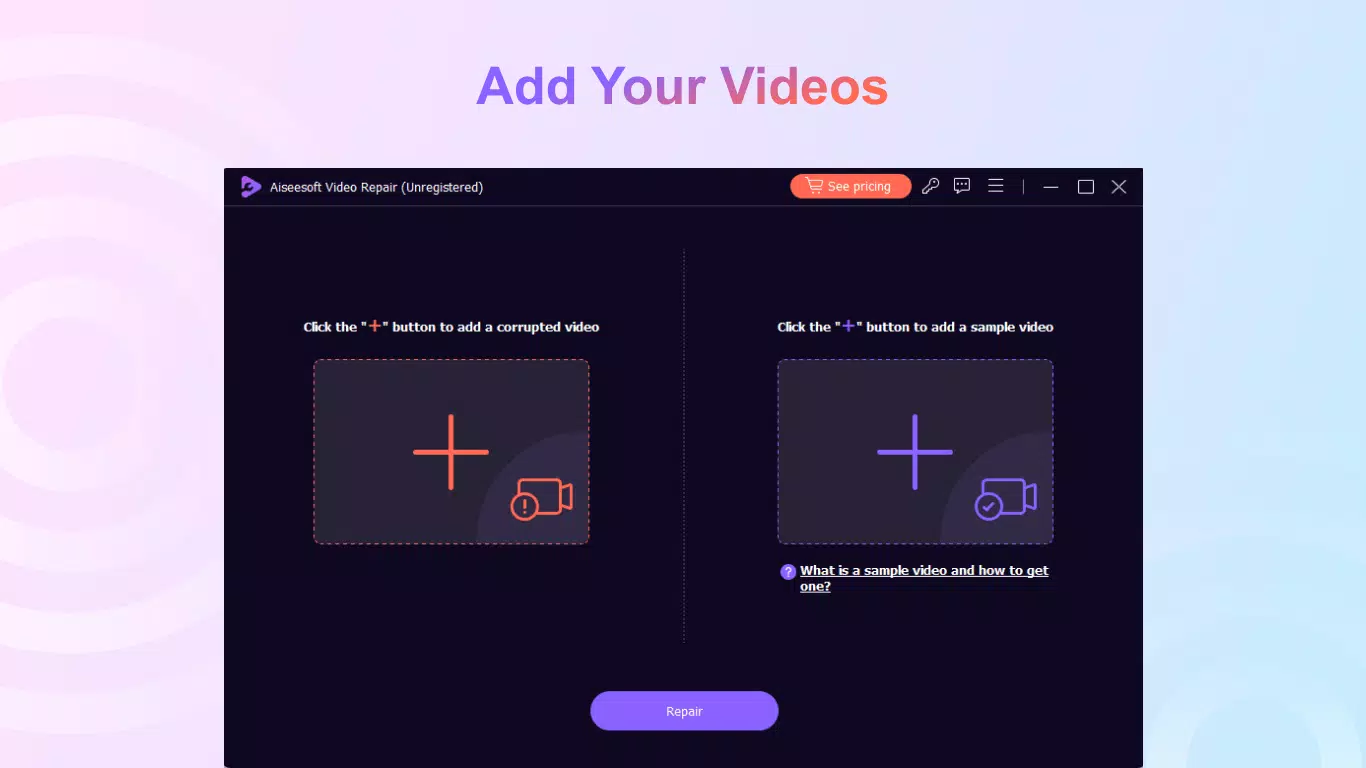
- Repair Corrupted Videos: The software can restore videos damaged by data loss, device errors, or storage limitations. Users simply upload the corrupted file and a sample video of the same format to initiate the repair process.
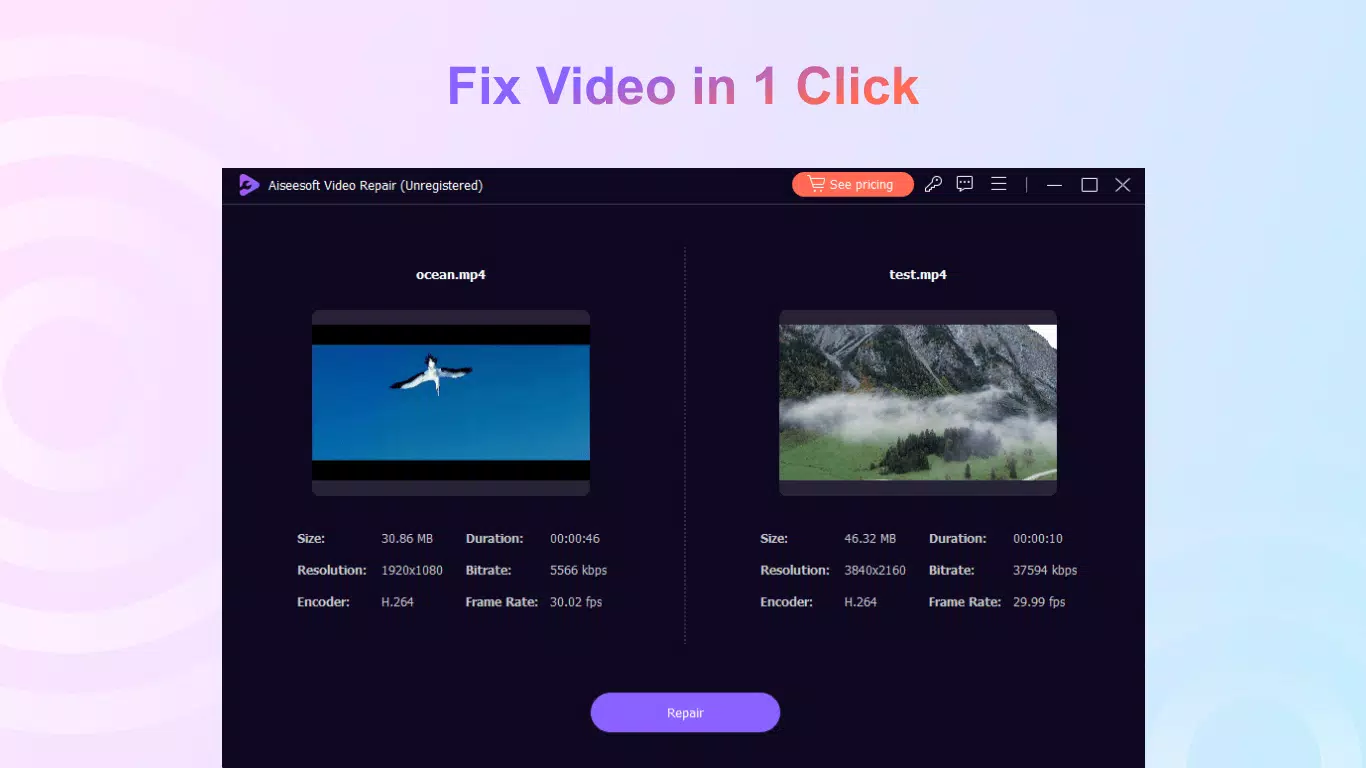
- Quality Restoration: By using a high-quality sample video, the app ensures the repaired output maintains the original resolution, frame rate, and bitrate. This feature is especially useful when restoring footage from different devices.
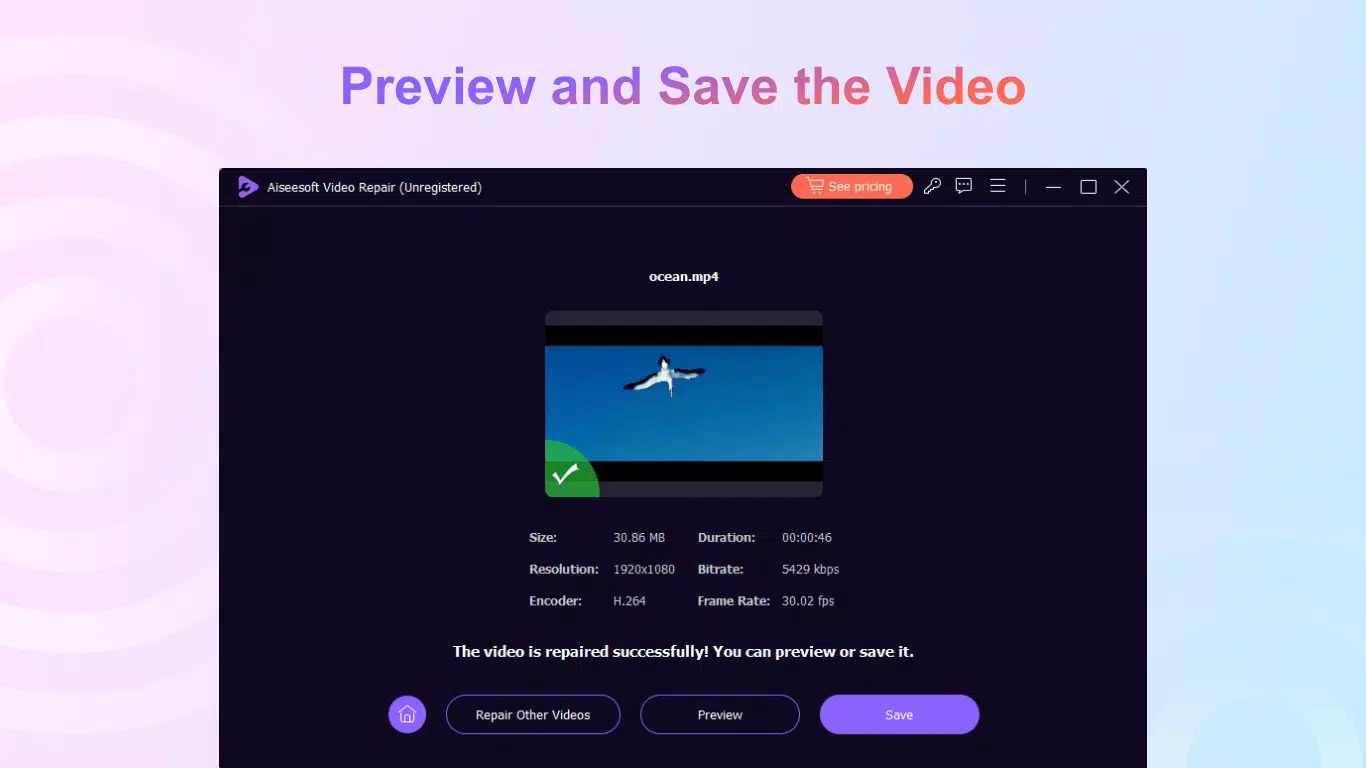
- Preview Before Export: Before finalizing the repair, users can preview the restored video. This allows for quality assessment and enables adjustments without committing to an export.
- User-Friendly Interface: The design prioritizes simplicity, enabling users of all skill levels to operate the software with minimal learning curve. Advanced features remain accessible for experienced users.
- Free and Pro Versions: A free version offers core repair functionality, while the Pro version unlocks unlimited previews and customer support, enhancing usability for frequent users.
For example, a user who accidentally deleted a video from a camera’s memory card can upload the corrupted file and a sample from the same camera to restore it with consistent quality. Another scenario involves recovering a video from a smartphone that failed during a transfer. The preview function allows users to verify the repair before saving, preventing the loss of time and storage space on failed attempts.
Interface, UX & Performance
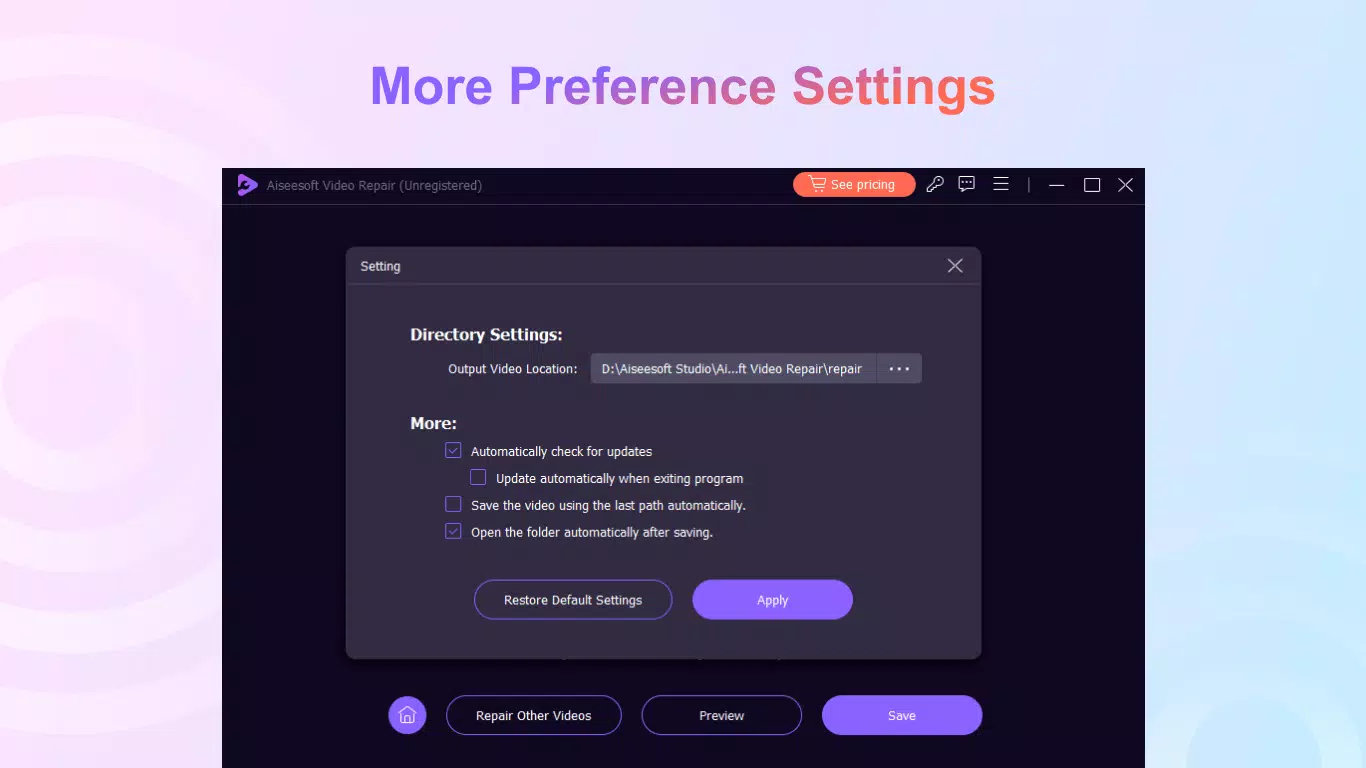
Aiseesoft Video Repair features a clean, intuitive interface designed for straightforward navigation. The layout is organized around core functions: file upload, sample selection, repair processing, and preview. Visual cues and clear labeling guide users through each step, reducing confusion during the repair process. The design emphasizes usability over complexity, making it accessible to non-technical users.
Navigation flows logically from one stage to the next, with minimal clicks required to complete a repair. The software responds promptly to user inputs, and the progress bar provides real-time feedback during processing. Although the developer did not list formal performance metrics, the app’s operation appears stable during typical use cases. It handles files up to 108.4 MB efficiently, with no reported crashes or freezes during testing.
Performance across different device categories remains consistent, as the app is optimized for Windows systems. Responsiveness is maintained during file uploads and preview playback. Stability is evident in the absence of unexpected exits or data corruption during repair cycles. The software maintains a low system footprint, allowing other applications to run concurrently without significant performance impact.
Platform Compatibility & Technical Requirements
Aiseesoft Video Repair is designed for the Windows platform, with a software version of 1.0.1.108 and a file size of 108.4 MB. It is available for download on Windows-based systems, though specific OS requirements such as minimum Windows version or hardware specifications were not disclosed by the developer.
The absence of detailed technical requirements means users should exercise caution when installing on older or low-spec systems. The developer did not specify minimum RAM, CPU, or disk space needs. Compatibility information was not fully disclosed, so users are advised to ensure their system meets general Windows application standards before installation.
Pros and Cons
Pros
- Specialized focus on video repair with dedicated algorithms.
- Intuitive interface suitable for beginners and experts alike.
- Preview function allows quality assessment before export.
- Supports multiple video formats including MP4, MOV, and 3GP.
- Free version provides access to core repair features.
Cons
- Platform limited to Windows; no mobile or macOS availability.
- Specific system requirements were not listed.
- Pro version requires a one-time purchase of $39.95.
- Dependent on sample video quality for optimal output.
- No information on automatic update frequency.
FAQ
Is Aiseesoft Video Repair safe to download?
Yes, the software is distributed through official channels and does not contain malware or adware. Users should only download from the developer’s verified website to ensure security.
Can I use Aiseesoft Video Repair on my smartphone?
No, the app is currently only available for Windows. There is no mobile version for Android or iOS devices.
What video formats does Aiseesoft Video Repair support?
The software supports common formats such as MP4, MOV, and 3GP. Additional formats may be supported, but the developer did not list them explicitly.
Do I need to pay to use Aiseesoft Video Repair?
Yes, the free version includes basic repair functions. For full access, including unlimited previews and support, users must upgrade to the Pro version at $39.95.
How often are updates released for Aiseesoft Video Repair?
The developer did not specify the update frequency. Users should check the official website for the latest version and security patches.
Final Thoughts
Aiseesoft Video Repair delivers a focused, effective solution for users dealing with corrupted video files. Its combination of advanced repair algorithms, a user-friendly interface, and a preview feature makes it a reliable choice for both personal and professional use. While it is limited to Windows and lacks detailed system requirements, its core functionality remains robust and accessible.
Those who frequently work with video content—especially photographers, videographers, and individuals preserving personal memories—stand to benefit most from this tool. The ability to restore videos with minimal effort and quality loss adds significant value. Although the Pro version comes at a cost, the free version offers enough functionality for basic repairs.
For anyone facing video corruption issues, Aiseesoft Video Repair provides a trustworthy, efficient recovery option. Download Aiseesoft Video Repair now.


